
Pinterest is a vibrant hub where millions discover inspiration, from home decor to fashion and beyond. With over 498 million monthly active users, it’s a goldmine for brands looking to spark interest and drive traffic. But keeping up with Pinterest’s fast pace—posting fresh pins, optimizing timing, and engaging with followers—can feel like a marathon. That’s where a Pinterest scheduling tool comes in, revolutionizing how you manage your social media content strategy. This guide explores why these tools are a game-changer, helping businesses, creators, and marketers build a thriving Pinterest presence in 2025 with less effort and more impact.
Why Pinterest Is a Must for Your Brand
Pinterest isn’t just a social platform; it’s a visual search engine where users actively hunt for ideas. Research shows 83% of Pinners make purchases based on what they discover, making it a powerful driver of sales and brand visibility. Whether you’re a small business selling artisanal products, an e-commerce shop, or a blogger sharing travel tips, Pinterest connects you with an audience eager to engage.
The challenge? Success requires consistent pinning, eye-catching visuals, and strategic timing. Manually managing multiple boards and posting several times a day can drain your energy. A Pinterest scheduling tool simplifies this process, letting you focus on creativity while automating the busywork. Let’s dive into how these tools can elevate your brand.
Essential Features That Make Pinterest Scheduling Tools Stand Out
A great Pinterest scheduling tool does more than just schedule posts—it’s a complete solution to streamline your strategy. Here are the key features to look for and how they boost your brand:
1. Smart Scheduling for Consistency
Posting regularly is crucial on Pinterest, where fresh content keeps your boards alive. A scheduling tool lets you plan pins in advance, ensuring your presence stays strong without daily effort. Look for:
Visual calendars to map out your content plan.
Suggestions for the best times to post based on when your audience is active.
Bulk uploading to schedule multiple pins quickly.
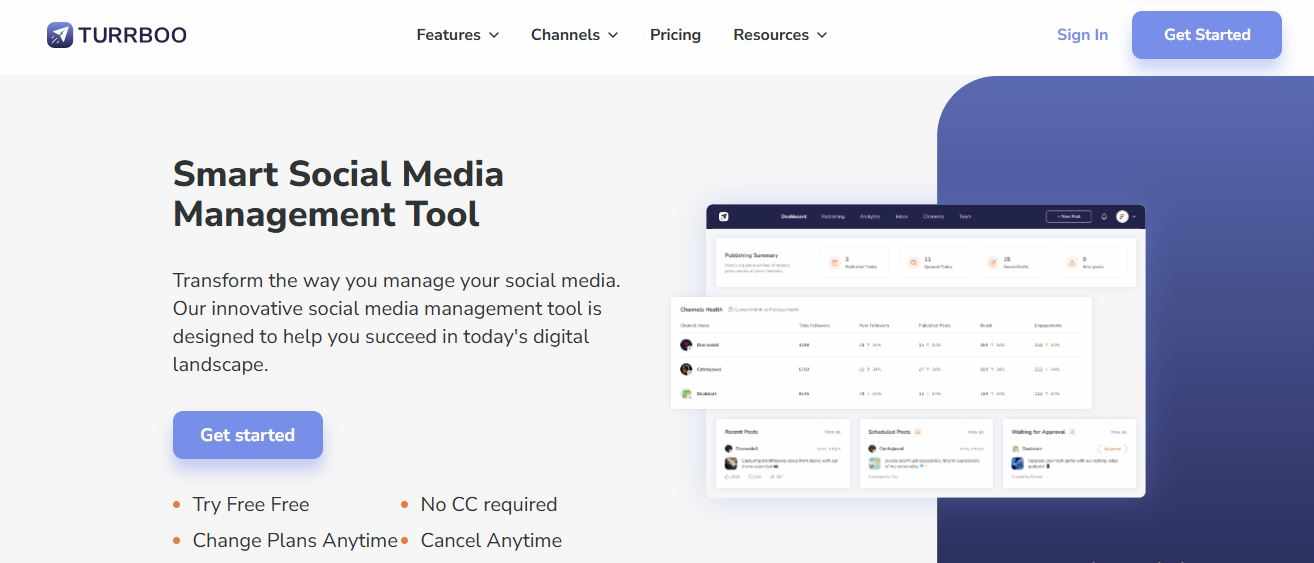
For example, Turrboo, a versatile social media manager app, offers an intuitive scheduler that makes planning Pinterest content a breeze, saving you time while keeping your boards vibrant.
2. Analytics to Guide Your Strategy
Understanding what resonates with your audience is key to growth. A social media analytics tool built into a scheduling platform provides insights like:
How many clicks, saves, and impressions your pins generate.
Details about your audience’s interests and demographics.
Which boards drive the most engagement.
These insights help you fine-tune your social media content strategy, focusing on what sparks action from your followers.
3. Collaboration for Team Success
If you work with a team or manage multiple accounts, collaboration features are a must. A tool with team-friendly options offers:
Workflows for drafting and approving pins to keep your brand consistent.
Task assignments to streamline coordination.
Shared dashboards to track performance in real time.
These tools ensure your team delivers cohesive, high-quality content that resonates with your audience.
4. AI-Powered Creativity
An AI assistant can take your Pinterest game to the next level by automating repetitive tasks and inspiring fresh ideas. Look for AI features that:
Craft pin descriptions tailored to Pinterest’s search trends.
Recommend hashtags to boost discoverability.
Generate design ideas that align with your brand’s style.
A social media automation tool with AI keeps your content dynamic, saving you time while ensuring your pins pop.
5. Unified Audience Engagement
Engaging with your audience builds loyalty. A social media inbox manager tool gathers comments, messages, and mentions into one place, letting you:
Respond quickly to foster stronger connections.
Track how your audience feels about your brand.
Automate replies for common questions to save time.
This feature helps you stay responsive, turning casual followers into dedicated fans.
How a Pinterest Scheduling Tool Boosts Your Brand
A Pinterest scheduling tool transforms your approach to Pinterest, delivering results that go beyond saving time. Here’s how it can elevate your brand:
1. Driving Engagement Through Consistency
Pinterest loves active accounts. Scheduling tools ensure your boards stay fresh, even during hectic weeks. By posting at peak times, you increase the chances of saves, clicks, and shares, keeping your content in front of curious users.
2. Sending Traffic to Your Website
Pinterest is a traffic magnet, with nearly half of users discovering new brands weekly. Scheduling tools help you create pins with direct links to your site, blog, or shop. Regular pinning keeps your content visible to users searching for inspiration, turning clicks into customers.
3. Saving Time with Automation
Manually posting multiple pins daily is exhausting. A social media automation tool handles scheduling, hashtag suggestions, and content repurposing, freeing you up to focus on creating stunning visuals or planning your next campaign.
4. Sparking Creativity with AI
When inspiration runs dry, an AI assistant can suggest pin ideas, write engaging descriptions, or recommend trending keywords. This keeps your content fresh and discoverable, boosting engagement.
5. Simplifying Team Workflows
For teams, scheduling tools streamline collaboration. Shared calendars, approval processes, and task assignments ensure everyone’s on the same page, delivering pins that align with your brand’s vision.
Choosing the Right Pinterest Scheduling Tool
With so many options, picking the perfect tool requires aligning features with your needs. Here’s how to choose:
1. Define Your Goals
Are you aiming to drive traffic, grow engagement, or build brand awareness? A social media analytics tool can track metrics like clicks or saves, ensuring your tool supports your priorities.
2. Ensure Platform Compatibility
Make sure the tool works seamlessly with Pinterest and any other platforms you use, like Instagram or TikTok. Tools like Turrboo support multiple channels, simplifying your social media content strategy.
3. Match Your Team’s Needs
Solo creators may prefer straightforward tools like Buffer, while agencies need robust collaboration features found in Tailwind or Sprout Social. Choose a tool that fits your workflow.
4. Weigh Your Budget
Free plans, like Buffer’s, are great for starters, while premium tools offer advanced features like AI or inbox management. Find a balance between cost and functionality.
5. Test the Experience
A clunky tool can slow you down. Use free trials to test the interface, scheduling process, and analytics to ensure they’re user-friendly and effective.
6. Plan for Growth
As your brand scales, your Pinterest needs will evolve. Choose a tool that can handle more pins, boards, and data without slowing down.
Top Pinterest Scheduling Tools to Try
Here are some of the best tools for 2025, each with unique strengths:
Turrboo
Turrboo is a powerful social media manager app that excels at Pinterest scheduling. Its easy-to-use scheduler, AI-driven content ideas, and social media inbox manager tool make it perfect for small businesses and creators looking to shine on Pinterest.
Tailwind
Tailwind, a Pinterest-approved platform, offers SmartSchedule for optimal posting and AI-powered content creation. Its Communities feature connects you with other creators to amplify your reach.
Later
Later is great for visual-first brands, with a drag-and-drop calendar and video pin support. Its analytics provide board-level insights, though some features require premium plans.
Social Champ
Social Champ pairs scheduling with Canva integration and AI-driven recommendations. Its multi-platform analytics make it ideal for brands managing multiple channels.
Buffer
Buffer’s simple scheduler supports Pinterest with a free plan for up to 10 pins. It’s beginner-friendly, with paid plans unlocking advanced analytics and team tools.
Tips for Getting the Most Out of Your Pinterest Scheduling Tool
To maximize your tool’s impact, try these strategies:
Post Regularly: Aim for 5–25 pins daily, depending on your niche, to keep your boards active. Spread them out for steady visibility.
Craft Search-Friendly Descriptions: Use keywords and hashtags to make pins discoverable. An AI assistant can help optimize them.
Check Analytics Often: Review pin and board performance weekly to focus on what works, like video pins or product showcases.
Stay Responsive: Use the social media inbox manager tool to reply to comments and messages quickly, building a loyal community.
Experiment with Timing: Test different posting schedules to find what drives the most engagement. Automation tools can simplify this process.
Overcoming Common Hurdles
Even the best tools have challenges. Here’s how to handle them:
Too Much Data: Focus on key metrics like saves and clicks to avoid feeling overwhelmed.
Learning New Tools: Use tutorials or support resources to get up to speed quickly.
Budget Limits: Start with free options like Buffer and upgrade as your needs grow.
Running Out of Ideas: Repurpose evergreen content or use AI-generated suggestions to keep your boards fresh.
FAQs
1. What does a Pinterest scheduling tool do?
A Pinterest scheduling tool helps you plan and post pins in advance, streamlining your social media content strategy. It often includes analytics, automation, and collaboration features to boost efficiency.
2. How can a Pinterest scheduling tool improve engagement?
By posting consistently at optimal times and providing performance insights, it ensures your pins reach the right audience, encouraging more saves, clicks, and shares.
3. Can I use a Pinterest scheduling tool for other platforms?
Many tools, like Turrboo, support multiple platforms like Instagram and LinkedIn, letting you manage your social media content strategy from one social media manager app.
4. Are free Pinterest scheduling tools worth using?
Free tools like Buffer or Pinterest’s built-in scheduler work well for basic needs. Premium options offer extras like AI assistants and advanced analytics for bigger impact.
5. How many pins should I post daily?
For best results, schedule 5–25 pins per day, depending on your niche. A social media post scheduler helps you spread them out for consistent engagement.
A Pinterest scheduling tool is your ticket to mastering Pinterest’s visual landscape. By automating tasks, unlocking insights, and simplifying teamwork, it turns your Pinterest strategy into a powerful driver of traffic, engagement, and growth. Choose the right tool, and watch your brand inspire and connect like never before.
















Write a comment ...