
When managing multiple social media accounts, campaigns, and contributors, teams often find themselves in a state of disarray. Posts are duplicated, deadlines are missed, and brand messaging becomes inconsistent. What starts as a well-intentioned marketing effort can quickly spiral into what many call content chaos.
This is where a social media team collaboration tool steps in to bring clarity, organization, and structure to your workflow. Rather than chasing down content approvals or juggling multiple spreadsheets and chat apps, teams can centralize their efforts and operate with efficiency and confidence.
Understanding Content Chaos: Where Things Go Wrong
Before diving into the solution, it’s important to understand what causes content chaos in the first place. Here are some common culprits:
Lack of clear content calendar or strategy
Disconnected team communication
No version control or feedback loop
Inconsistent tone or voice across platforms
Overlapping responsibilities and missed deadlines
These issues don’t just waste time—they can damage your brand’s credibility and confuse your audience.
What Is a Social Media Team Collaboration Tool?
A social media team collaboration tool is a platform that helps teams coordinate all aspects of their social media strategy. From content creation to approval workflows and performance tracking, it’s designed to bring structure to the sometimes-chaotic world of social media management.
It enables multiple users to:
Plan content in a shared calendar
Assign tasks with deadlines
Collaborate on post creation and design
Centralize approvals and feedback
Monitor team productivity and campaign effectiveness
The Real-World Impact of Collaboration Tools
Let’s break down the specific ways these tools help prevent content chaos:
1. Centralized Content Planning
Instead of relying on external documents, teams can organize all content inside a unified calendar. Everyone sees what’s being posted, when, and by whom.
Benefits include:
No duplicate posts
Improved content consistency
Enhanced scheduling efficiency
Using a social media collaboration tool means no more versioning errors or outdated drafts floating in email threads.
2. Clear Role Assignment and Accountability
Collaboration tools make it easy to define roles—who writes, who edits, who approves. This transparency eliminates confusion and builds accountability.
Some platforms also allow you to set permissions, so team members see and do only what they need to. That means no accidental edits or premature publishing.
3. Real-Time Communication and Feedback
Instead of jumping between Slack, email, and Docs, teams can leave feedback directly on posts inside the tool. That streamlines the revision process and ensures all feedback is in one place.
When you're coordinating across departments or remote teams, this is a game-changer.
4. Performance Tracking Made Simple
Tracking what works and what doesn’t becomes effortless with an integrated social media analytics tool. These insights help teams quickly adapt content strategies and focus on high-performing formats and channels.
You’re not just organizing your workflow—you’re continuously improving it based on real data.
5. Automation for Routine Tasks
Many platforms now come with built-in social media automation tool features. That means teams can schedule recurring content, automate post publishing, and even integrate with AI to generate drafts or repurpose older content.
By reducing manual tasks, your team can focus more on strategy and creativity.
Meet Turrboo: Your First Step Toward Organized Social Media
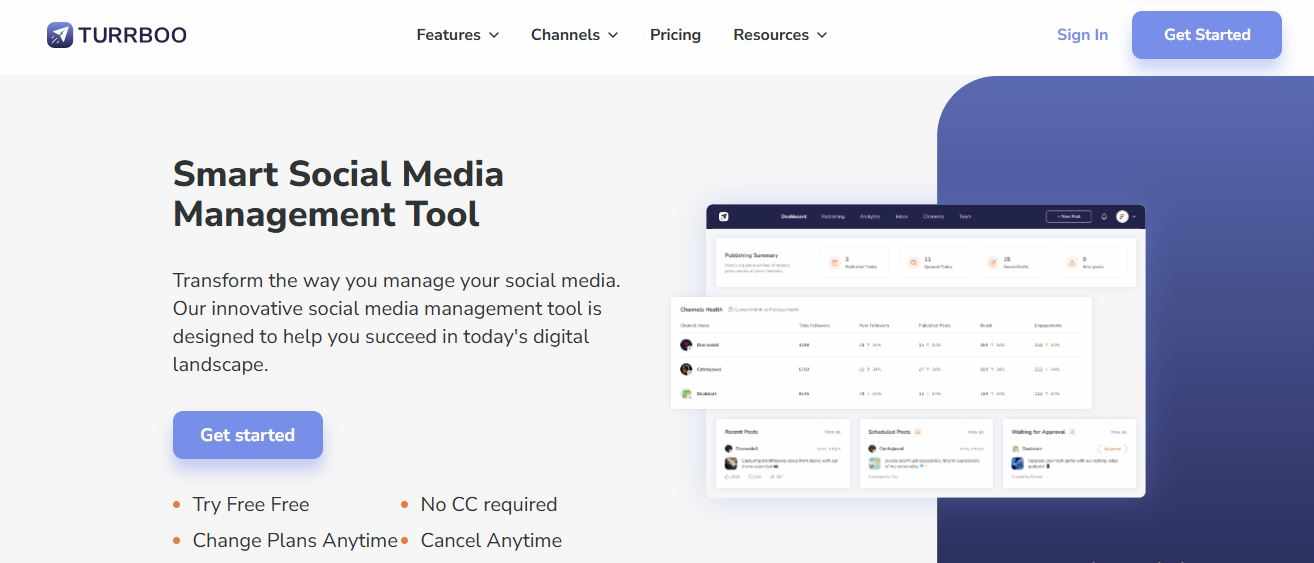
If you’re exploring tools to support your team, consider starting with Turrboo. It combines task management, real-time collaboration, scheduling, and analytics in one intuitive dashboard. Designed for growing teams, Turrboo helps avoid the very pitfalls that lead to content chaos—without the steep learning curve.
The Role of AI in Smarter Team Collaboration
The future of collaboration tools is intelligent. An AI social media manager can assist with content suggestions, optimal posting times, trend analysis, and even tone-checking to ensure brand consistency.
This AI layer doesn't replace human creativity—it enhances it. Your team still sets the strategy, while the AI supports execution and insights.
Unified Teamwork with Inbox and Engagement Management
Engaging with your audience is just as important as publishing content. With social media inbox management features built into many collaboration tools, teams can assign replies, flag urgent DMs, and ensure no message gets lost.
This centralization helps maintain a consistent brand voice and ensures timely responses, especially across multiple platforms like Instagram, Twitter, Facebook, and LinkedIn.
Key Features to Look For in a Collaboration Tool
Not all tools are created equal. Here’s what to prioritize:
Shared Content Calendar – Allows the whole team to see the big picture
Workflow Customization – From draft to approval, make the flow fit your team
Multi-user Roles – Set who can create, edit, or approve content
Analytics Dashboard – Track engagement, reach, and ROI easily
Post Scheduling & Automation – Eliminate manual posting and keep things consistent
AI Capabilities – Leverage smart recommendations and auto-generated content
Inbox Management – Streamline audience engagement from one place
Final Thoughts
Preventing content chaos isn’t just about having a better calendar—it’s about empowering your team with the tools they need to collaborate effectively. A well-chosen social media team collaboration tool does more than just organize posts. It aligns your team, enhances productivity, and ensures your brand voice remains consistent across platforms.
In a world where real-time engagement and content quality are non-negotiable, investing in streamlined collaboration is no longer optional—it’s essential.
FAQs
1. What is the main benefit of using a social media team collaboration tool?
It streamlines your workflow by centralizing planning, communication, and performance tracking, helping teams avoid miscommunication and missed deadlines.
2. How does a social media collaboration tool differ from a content calendar?
While a content calendar focuses on scheduling, a collaboration tool integrates task management, feedback, approvals, automation, and analytics—offering a more comprehensive solution.
3. Can small teams benefit from using such tools?
Absolutely. Even two-person teams can benefit from organized workflows, automation, and clear accountability. These tools scale as you grow.
4. How does social media inbox management improve team efficiency?
It consolidates all incoming messages, allowing teams to assign replies, track conversations, and respond promptly without switching platforms.
5. What role does an AI social media manager play in collaboration tools?
It enhances human efforts by suggesting post ideas, optimizing timing, analyzing trends, and even flagging inconsistencies—helping teams stay ahead without extra workload.














Write a comment ...